TV Garden World Video Player
- 3.9
- Rating
- 10.00K
- Installs
- Free
- Price

 Analysis by App-foxy
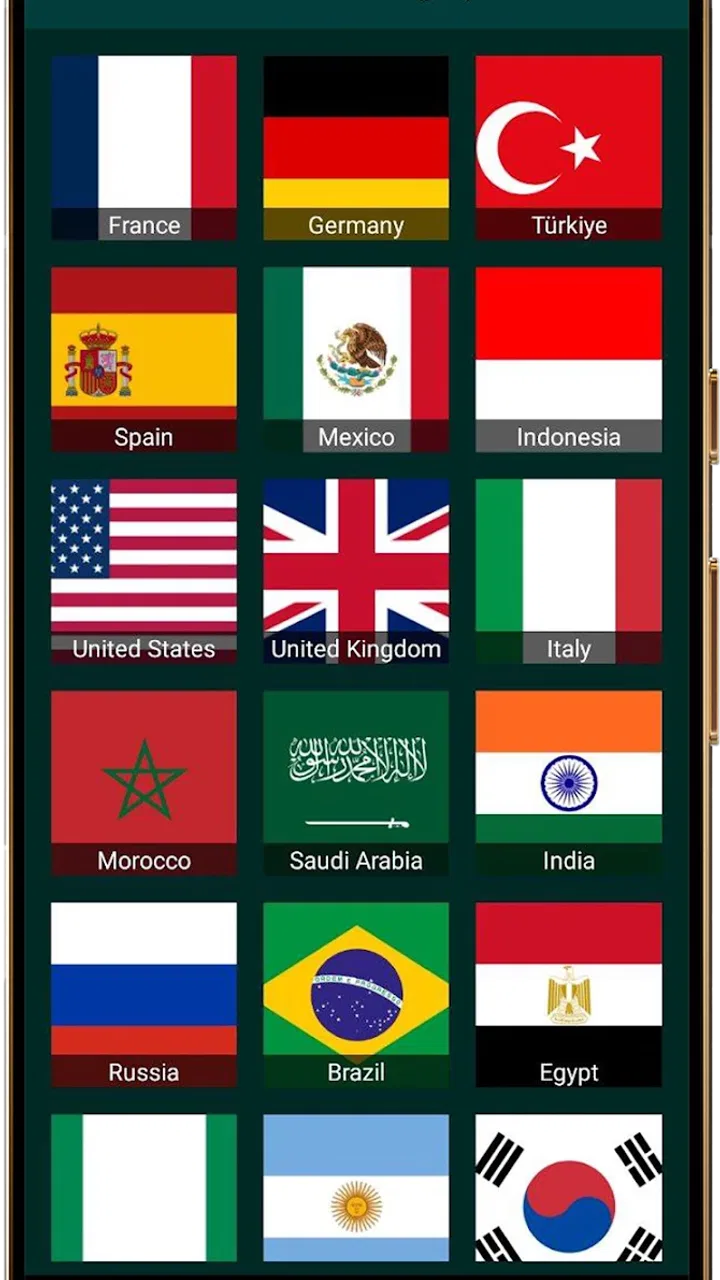
I approached TV Garden World as the kind of app you open when you want to look beyond the usual television menu. BrightCast Media presents it as a video player for your own TV streams from around the world, and that wording matters: the experience is built around access to streams you choose, not around replacing every streaming service with one giant entertainment catalog. In my use, its appeal comes from that direct, exploratory feeling. You are not simply picking a film from a polished recommendation row; you are using a lightweight gateway to television streams that may make a familiar room feel connected to somewhere else.
It is a free events app for an Everyone audience, with a 3.9 average from over 200 ratings and more than 10,000 installs. Those figures suggest a modest but real user base rather than a universally established platform. The current release is version 1.0.1, and it runs on Android 7.0 or later. I would describe it as an interesting specialist player: useful for people who already have streams in mind, curious viewers who enjoy international television, and anyone who prefers a simple viewing tool over a crowded entertainment hub.
Where the network becomes part of the viewing experience
The most important thing to understand before installing it is that connectivity is not a background detail here. A video player that depends on TV streams will feel only as good as the connection between the app, the source, and your device. When a stream starts promptly, the app can feel wonderfully direct. You select a source, wait for the player to establish playback, and suddenly the value of the app is obvious: television from another place is available without requiring you to navigate several unrelated services.
You May Also Like

 Blood Strike: 2.5 Anniversary
Blood Strike’s Loadouts Turn Every Drop Into a Tactical Gamble
A close look at Blood Strike’s custom loadouts: how fast access to signature weapons reshapes its battle royale rhythm, rewards preparation, and narrows the gap between fights.

 Pandora - Music & Podcasts
Pandora’s Music Is Easy to Start, but Harder to Recover
Pandora’s strength is its low-effort path from a seed to a station. Its weak spot is how much confidence it asks you to place in connection, setup, and quiet recovery.

 8 Ball Pool
 Is Built on Rivalries, Rematches, and Routine
A close look at the rivalries, rematches, shared routines, and unanswered safety questions that turn a quick pool match into a persistent mobile community.

 Samsung Music
’s Quiet Strength Is Playing What You Already Own
Its reach comes less from spectacle than from dependable access to a personal library. That simplicity is both the app’s strongest retention engine and its ceiling.

 AccuWeather: Weather Radar
AccuWeather Review: A Quick, Clear Forecast for Everyday Decisions
For everyday plans, the best forecast is the one you can understand quickly. AccuWeather makes rain timing, radar, and local conditions easy to act on, with a few trade-offs.

 Hill Climb Racing
Why Hill Climb Racing Still Turns Crashes Into One More Run
A tiny car, a bumpy hill and one more upgrade: Hill Climb Racing keeps resurfacing because its simple chaos makes every near-miss feel personal.
More From Our News Desk



That same simplicity makes weak connections more noticeable. A stream can be affected by your Wi-Fi, mobile signal, congestion on the source side, or the stability of the stream itself. If playback pauses, it is tempting to blame the player immediately, but the real cause may be somewhere along that chain. I found it helpful to treat the first minute as a quick connection check rather than assuming every source will behave identically.
This is especially relevant for international viewing. A nearby stream and a stream traveling across regions may not respond in the same way, even when your own connection appears healthy. The app’s concept encourages browsing across locations, but that also means accepting variation. One source may load smoothly while another takes longer or stops unexpectedly. That unpredictability is part of the trade-off for the broad, open-ended character of the experience.
For a relaxed evening, this can be enjoyable. I might start with the intention of watching one channel and end up exploring another because the first source is slow or because a different location looks more interesting. For a time-sensitive broadcast, however, I would be more cautious. If you need a guaranteed start at a precise moment, a dedicated broadcaster’s app or a service with a more controlled delivery system is usually the safer choice.
Why stream selection matters more than the player interface
With this type of app, the player is only one part of the experience. The quality of the available stream determines whether the session feels effortless or frustrating. TV Garden World is most appealing when you already know what kind of viewing you want: a particular region, a live television atmosphere, or a quick look at what is being shown elsewhere. It is less compelling if you expect a carefully organized library with detailed program information and dependable playback for every entry.
I also noticed a difference between intentional browsing and passive viewing. Traditional television is designed to keep you watching after you turn it on. This app is better suited to active curiosity. You may need to make decisions about which stream to try, whether a delay is temporary, and when to move on. That makes it a good companion for discovery, but not necessarily the best replacement for a familiar channel guide.
A useful habit is to test a source before settling in. Start playback while you still have time to switch, watch for early interruptions, and avoid judging the entire app from one troublesome stream. The reverse is also true: a stream that begins perfectly is not a guarantee that it will remain stable. For longer sessions, I prefer keeping expectations flexible rather than treating the first successful load as a promise of uninterrupted television.
Using it on a phone, tablet, or shared screen
Mobile use changes the role of the app. On a phone, I see it working well for short viewing sessions: checking a stream while commuting, filling a quiet break, or taking a quick look at television from another part of the world. The small screen makes occasional buffering less painful because I am not committing to a full evening. It also makes the app feel more like a pocket window than a conventional television replacement.
There is a practical downside to watching video on a phone for a long time. A bright display, active network connection, and continuous playback can make the device feel less comfortable than a television or larger tablet. If I am watching at home, I would rather place the phone on a stand than hold it throughout a program. The app’s value is strongest when its portability solves a real problem, not when the phone is being used as a substitute for a better screen simply because it is available.
A tablet offers a more balanced middle ground. It gives the picture more room while retaining the convenience of moving from one place to another. That is useful for kitchen viewing, background television while working on a small task, or sharing a stream with one other person. Still, I would not assume that every mobile setup will behave the same way. Signal strength can change from room to room, and a stream that works well near a router may struggle elsewhere.
The app also makes sense in a shared household when people have different ideas about what to watch. One person can use it to explore international television while another continues using a conventional service for on-demand programs. I would not describe it as a complete household entertainment system, though. Its strength is access to streams, not the broad mix of profiles, personalized recommendations, and carefully managed viewing controls that larger platforms often emphasize.
Before starting a long session away from home, I would check the connection first and avoid assuming that mobile data will behave like home Wi-Fi. A brief test can prevent a frustrating attempt to watch a stream in a place with inconsistent coverage. This is one of the less obvious lessons of the app: portability is useful only when the network travels with you in a dependable way.
A realistic everyday scenario
Imagine that I am waiting in a café before an appointment and want something more interesting than short social clips. I open the player, choose a stream that catches my attention, and give it a moment to establish playback. If it starts cleanly, I can watch a little television from another region without signing into a full entertainment ecosystem or committing to a long program. When the appointment time approaches, I stop and leave. That is a natural use case because the app supports curiosity in small portions.
Now compare that with a family movie night. Everyone is ready, the timing matters, and interruptions would quickly become annoying. In that situation, I would choose a service designed around a known catalog and predictable playback. TV Garden World can add variety to a household, but I would not make it the only plan for an event where the stream must work without surprises.
Another good scenario is language exposure. Watching television from different places can help you become familiar with accents, presentation styles, and the rhythm of everyday broadcasts. The app’s worldwide focus makes that kind of informal discovery more accessible than relying on local channels alone. The limitation is that the experience depends on finding a suitable stream at the right moment, so it is better for casual immersion than for a structured language course.
What happens when playback fails
Any stream-based player needs a sensible recovery routine, and this is where patience matters more than people expect. If playback does not begin, I first wait briefly rather than tapping repeatedly. Repeated commands can make it harder to tell whether the source is slow or whether the app has genuinely failed to respond. If the stream remains unavailable, I try a different source instead of spending the entire session fighting one entry.
This approach is not glamorous, but it is effective. The app’s worldwide concept means that switching sources is part of normal use, not necessarily evidence that the whole application is broken. A source can be temporarily unreachable, overloaded, or simply unsuitable for the current connection. Moving on quickly preserves the exploratory mood that makes the app worthwhile.
When a stream stops after playing successfully, I treat the interruption differently from a failure at startup. A brief pause may recover on its own, while repeated stopping suggests that the connection or source is unstable. At that point, I would close and reopen the stream, check whether other sources behave better, and move to a more reliable connection if one is available. These steps are basic, but they prevent a common mistake: continuing to retry the same failing source and concluding that no part of the app works.
There is also a difference between a player problem and a content problem. If several streams fail in the same way, the issue may be local to the device or network. If one stream fails while others play, the source is the more likely suspect. I find this distinction useful because it tells me whether to troubleshoot the setup or simply choose another channel. It also keeps expectations realistic: a worldwide stream directory cannot make every external stream equally dependable.
For that reason, I would not install this expecting the kind of polished error handling associated with a major subscription platform. The app’s attraction is breadth and direct access, while the cost is more hands-on judgment. Users who dislike testing alternatives, waiting for sources, or dealing with occasional uncertainty may find the experience tiring even when the app itself is easy to open.
Managing data and battery during longer sessions
Video is demanding, so I would be careful with mobile data. A short check of a stream is very different from leaving it running for an extended period. If I am away from home, I prefer to use a trusted Wi-Fi connection for longer viewing and reserve cellular data for brief sessions. This is not a special setting I would assume the app provides; it is simply a sensible way to control the cost and battery impact of any mobile video player.
There is a useful workflow here for people who like to explore. I can browse and test sources while connected to Wi-Fi, identify the ones that behave well, and then decide whether a later mobile session is worth the data use. That separates discovery from extended playback. It also avoids wasting data on a source that turns out to be unstable after several attempts.
Battery planning matters too. A phone that is already low may not be the right device for a long stream, especially if the screen remains active. I would lower the screen brightness to a comfortable level, keep the device ventilated, and avoid placing it under clothing or bedding while playing video. These are ordinary habits, but they have particular value here because the app encourages spontaneous viewing, which can easily turn a quick check into a much longer session.
People who use limited data plans should be selective about when they explore. The app is free, but free access does not mean that network use has no cost. The practical expense may come from your connection rather than the download itself. That is an important distinction when deciding whether this is suitable for travel, commuting, or regular use outside the home.
I also like to think of it as a “sample first, settle later” player. Try a source for a short period, confirm that it is stable enough, and only then continue. This reduces wasted data and makes the experience less frustrating. It is a small technique, but it is one of the clearest ways to get more value from an app whose quality can vary from stream to stream.
Who should choose it, and who should look elsewhere?
I would recommend TV Garden World to curious viewers who enjoy discovering television beyond their local options. It is a good fit if you want a free player focused on streams, appreciate the novelty of browsing across countries, and are comfortable with the fact that connectivity influences the result. It can also suit people who want a lightweight way to check international television without building their entire viewing routine around one subscription service.
I would be more hesitant to recommend it to someone who wants a complete on-demand catalog, strict scheduling, or a guaranteed experience for a planned group event. A conventional broadcaster app may be better when you care about one specific channel and need its programming presented in a familiar, dependable format. A mainstream streaming service is usually the stronger choice for films, series, profiles, and resume-watching features. A television antenna or local broadcast solution may be preferable when the goal is dependable nearby television with minimal dependence on internet conditions.
The app’s Everyone rating makes it approachable for a broad audience, but that does not remove the need for ordinary viewing judgment. Parents choosing streams for children should still pay attention to what is being selected, because the app’s worldwide character can expose viewers to a variety of programming contexts. I would treat the age label as a general accessibility indicator, not as a substitute for choosing content together.
Its Android compatibility is also practical for people using older devices, since the minimum requirement is Android 7.0. That gives it a wider potential reach than apps limited to newer systems. At the same time, compatibility alone does not guarantee a smooth session on every phone. Network quality, device performance, and the behavior of the selected stream remain more important once playback begins.
The developer, BrightCast Media, has kept the concept clear: this is a video player centered on television streams from around the world. I appreciate that focus because it gives the app an identity. The trade-off is that it does not try to solve every viewing need. In my opinion, that is healthier than judging it as though it were a full replacement for every other way of watching television.
My connectivity verdict
After using it with a network-first mindset, I see TV Garden World as a flexible discovery tool rather than a guaranteed television service. Its best moments happen when a suitable stream loads quickly and the connection stays steady. In those moments, the app makes international viewing feel immediate and pleasantly informal. It is easy to imagine using it for a short break, a bit of language exposure, or an evening of exploring unfamiliar broadcasts.
Its weaker moments are equally clear. A slow or unstable source can interrupt the experience, and mobile viewing requires attention to data and battery. Recovery is usually a matter of testing another source or improving the connection, not expecting the app to smooth over every problem automatically. That extra involvement will appeal to some users and annoy others.
The 3.9 average reflects that mixed character well: there is a real idea here, but the usefulness depends heavily on how each person watches and which streams they choose. With its free price, Everyone age rating, current version 1.0.1, and support for Android 7.0 and later, it is easy to try without treating it as a major commitment. I would install it if I wanted a simple way to explore television streams from different parts of the world.
My recommendation is to use it when discovery matters more than certainty. Keep a reliable connection available, test streams before settling in, and switch sources quickly when one behaves badly. If you follow that approach, the app can be a fun window onto global television. If your priority is uninterrupted, scheduled, or highly curated viewing, a more controlled alternative will serve you better.
FAQs for TV Garden World Video Player
01What platforms does TV Garden World Video Player support?
TV Garden World Video Player is available for both Android and iOS devices, ensuring a wide range of compatibility for users. The app is optimized for smartphones and tablets, providing a seamless viewing experience across different screen sizes. Whether you're using an Android device or an iPhone, you can enjoy your favorite content with ease.
02Does TV Garden World Video Player support offline viewing?
Yes, TV Garden World Video Player allows users to download videos for offline viewing. This feature is especially useful for those who want to watch content without an internet connection. Simply download your desired videos while connected to Wi-Fi and access them later at your convenience, saving data usage on the go.
03What video formats are compatible with TV Garden World Video Player?
TV Garden World Video Player supports a wide array of video formats, including MP4, AVI, MKV, and more. This extensive compatibility ensures that users can play almost any video file without needing to convert formats, making it a versatile choice for all your video playback needs.
04Are there any in-app purchases or subscription fees?
The basic version of TV Garden World Video Player is free to download and use. However, it may offer in-app purchases or subscription options for additional features, such as ad-free viewing, premium content access, or advanced playback tools. Check the app store listing for detailed pricing information.
05How user-friendly is the interface of TV Garden World Video Player?
TV Garden World Video Player boasts an intuitive and user-friendly interface designed to cater to both tech-savvy users and beginners. The app features straightforward navigation, easy access to your video library, and customizable settings, ensuring a smooth and enjoyable user experience for everyone.
Pros
- User-friendly interface for easy navigation.
- Supports a wide range of video formats.
- Offline mode available for downloads.
- Customizable playback settings.
- Regular updates with new features.
Cons
- Ads can be intrusive during playback.
- Limited support for older devices.
- Requires in-app purchases for premium features.
- Occasional buffering issues reported.
- Interface design feels slightly outdated.

TV Garden World Video Player
Gallery